Stage 08 - Extruder
Easy30 min12 steps
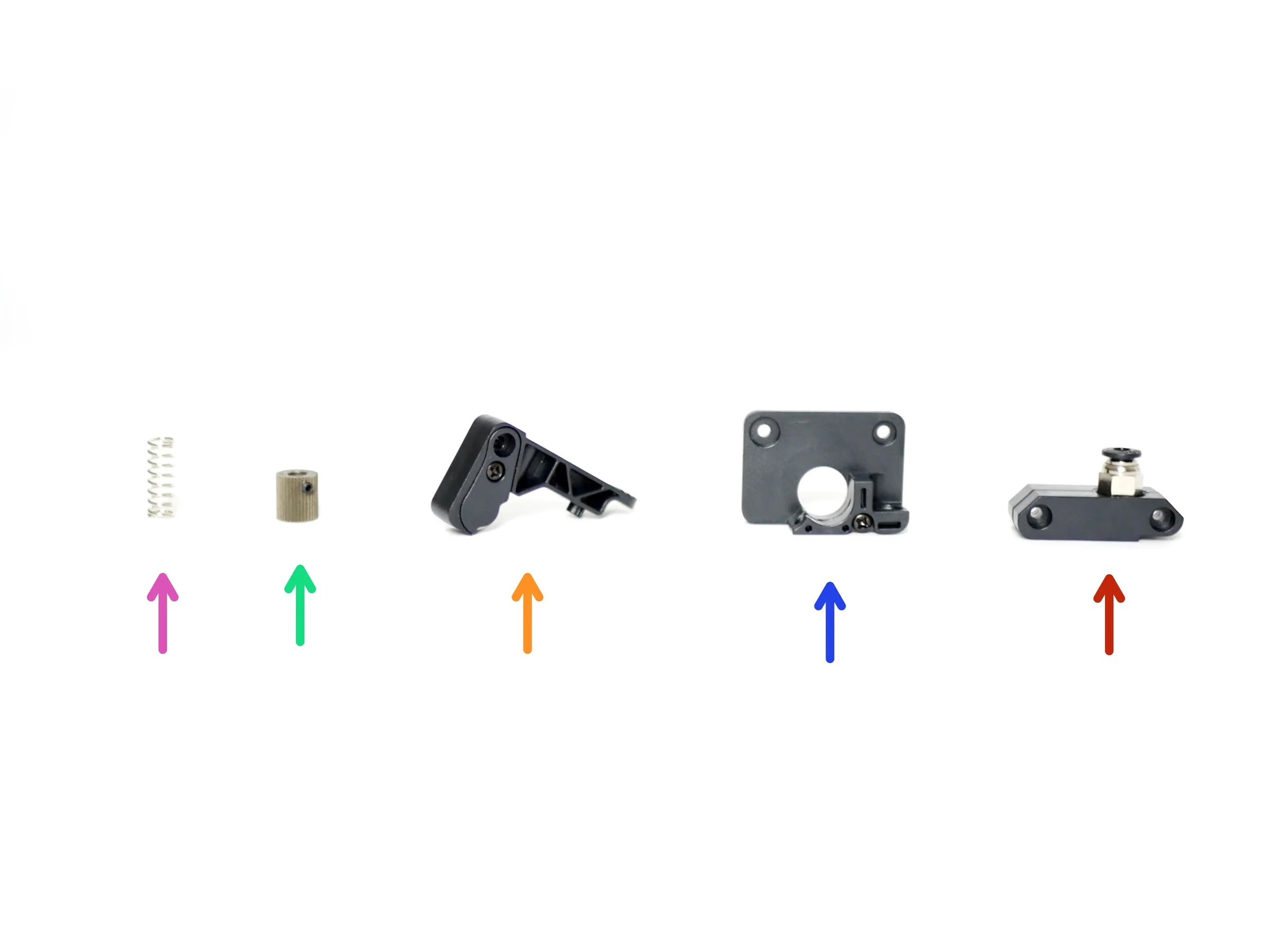
Step 1 Extruder
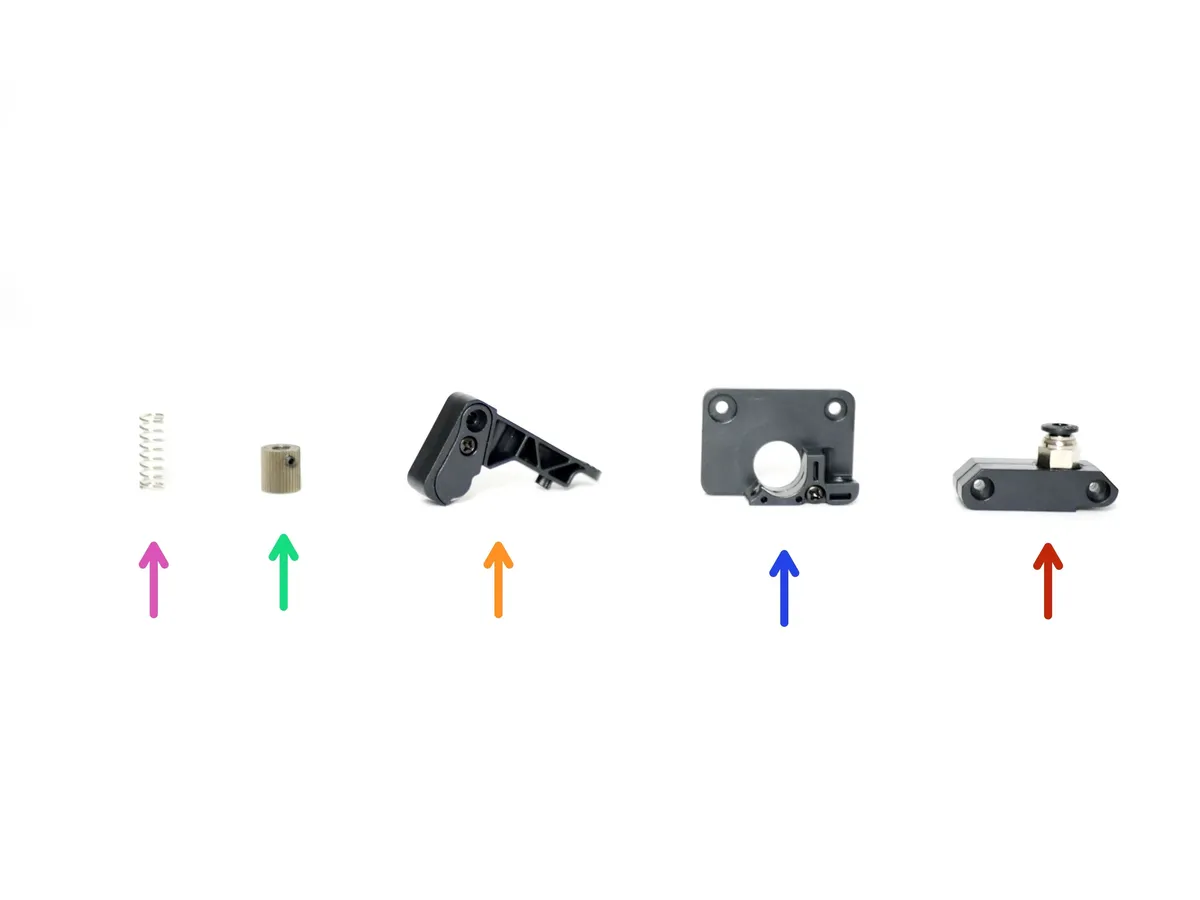
- Coupling Mount
- Back Plate
- Idler Arm
- Drive Gear
- Extruder Spring
Loading comments…
Step 2 Extruder Back Plate Install
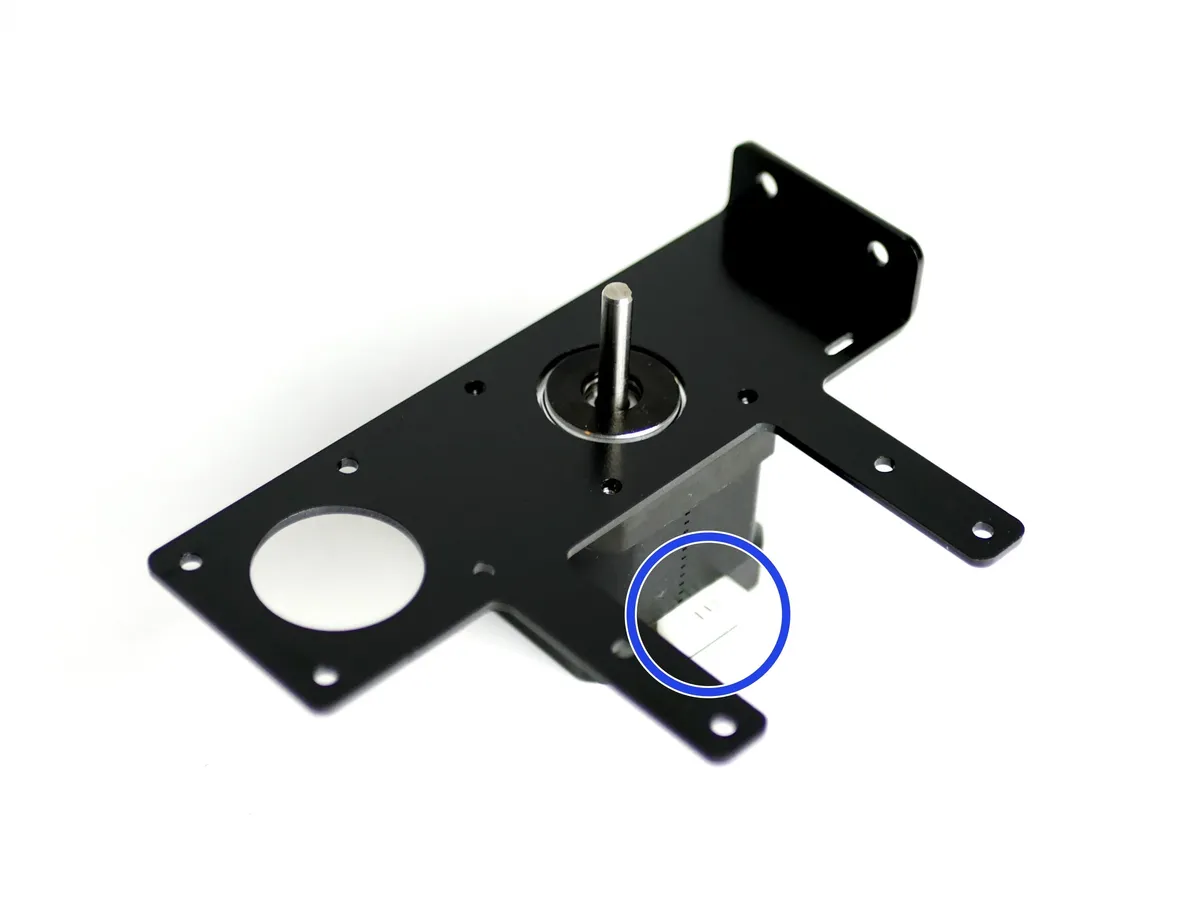
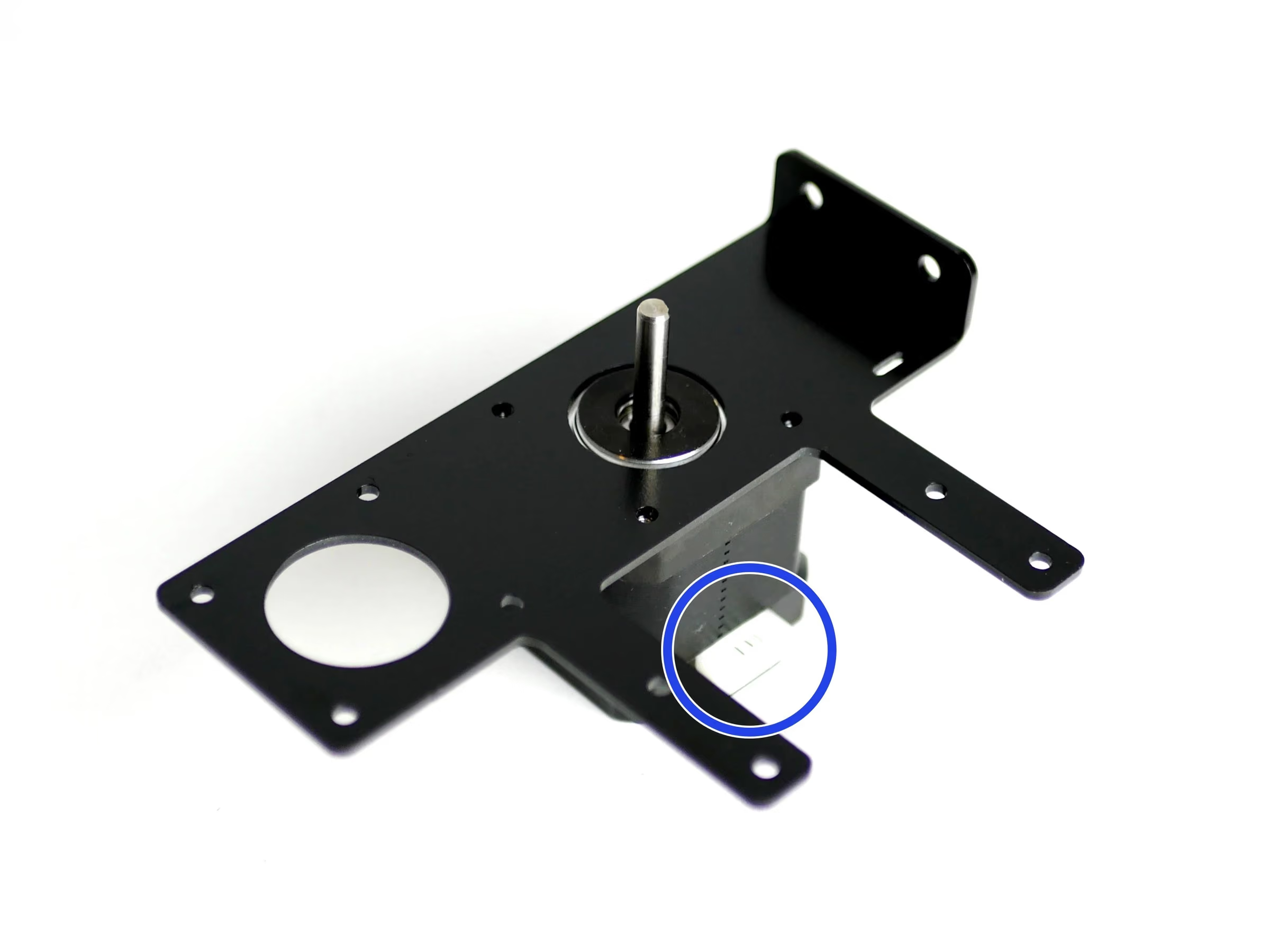
- Place the Extruder Mounting Bracket onto a motor. The motors pin connector should be pointing to the back of the bracket like shown.
- Secure the extruder back plate with a single M3 x 8mm bolt through the top right hole.
Loading comments…
Step 3 Coupling Bracket
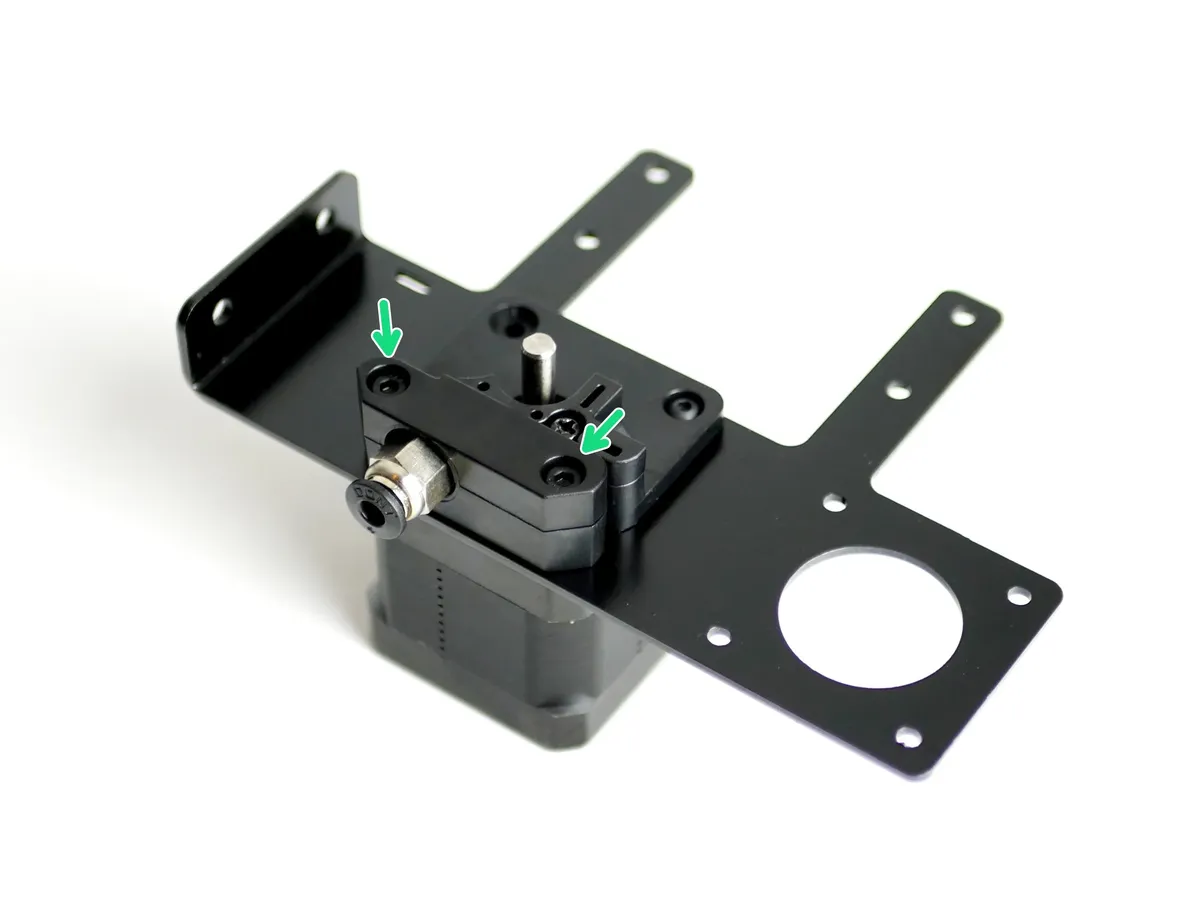
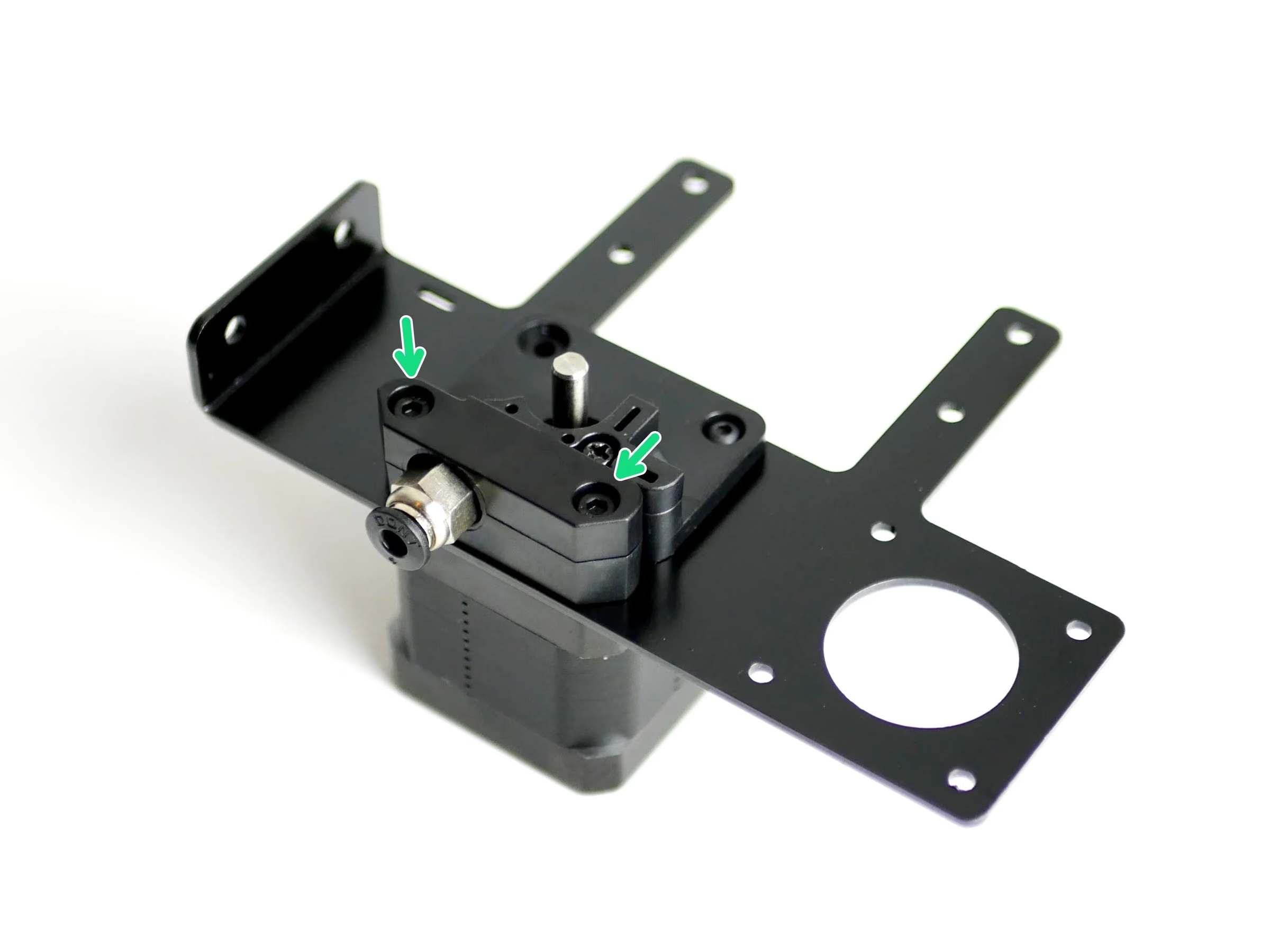
- Fix the Coupling Bracket onto the motor with two M3 x 18mm cap head bolts.
Loading comments…
Step 4 Drive Gear
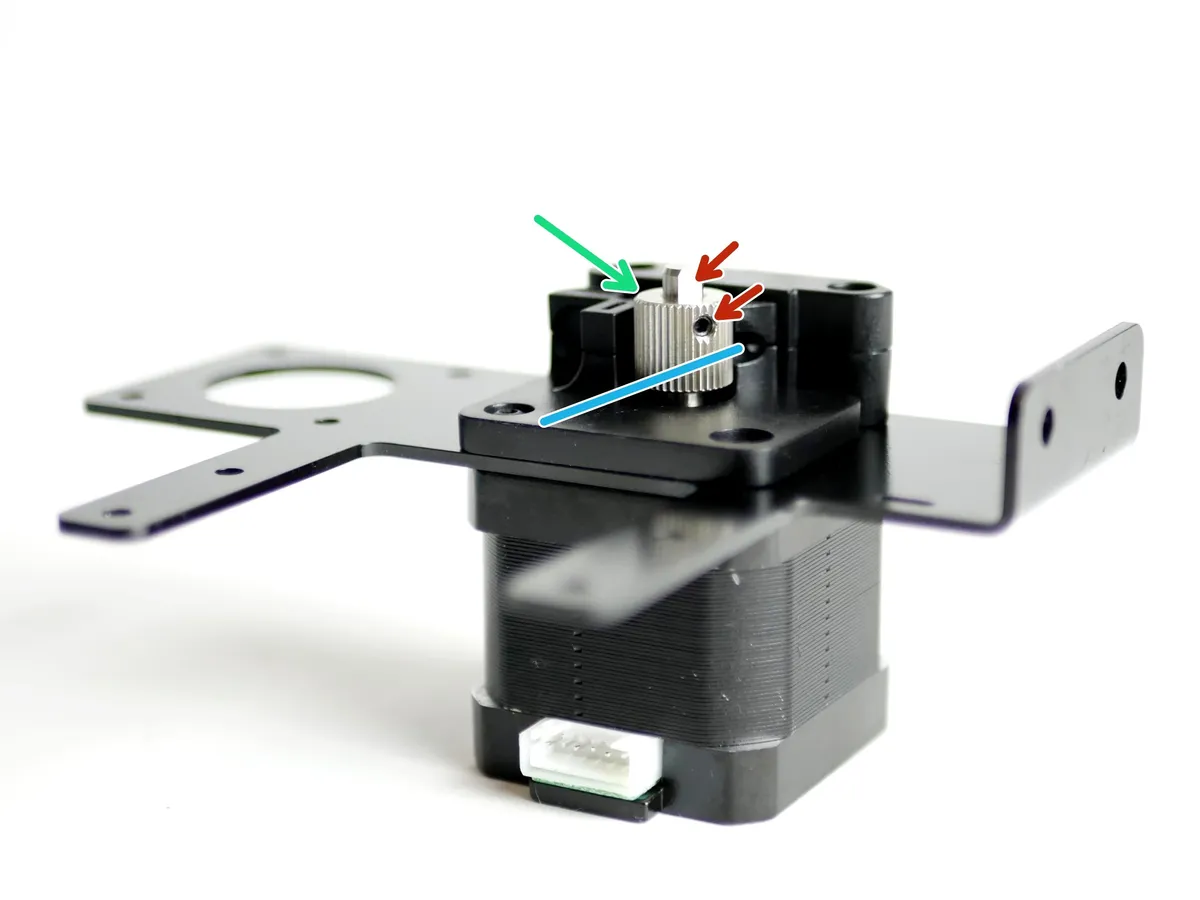
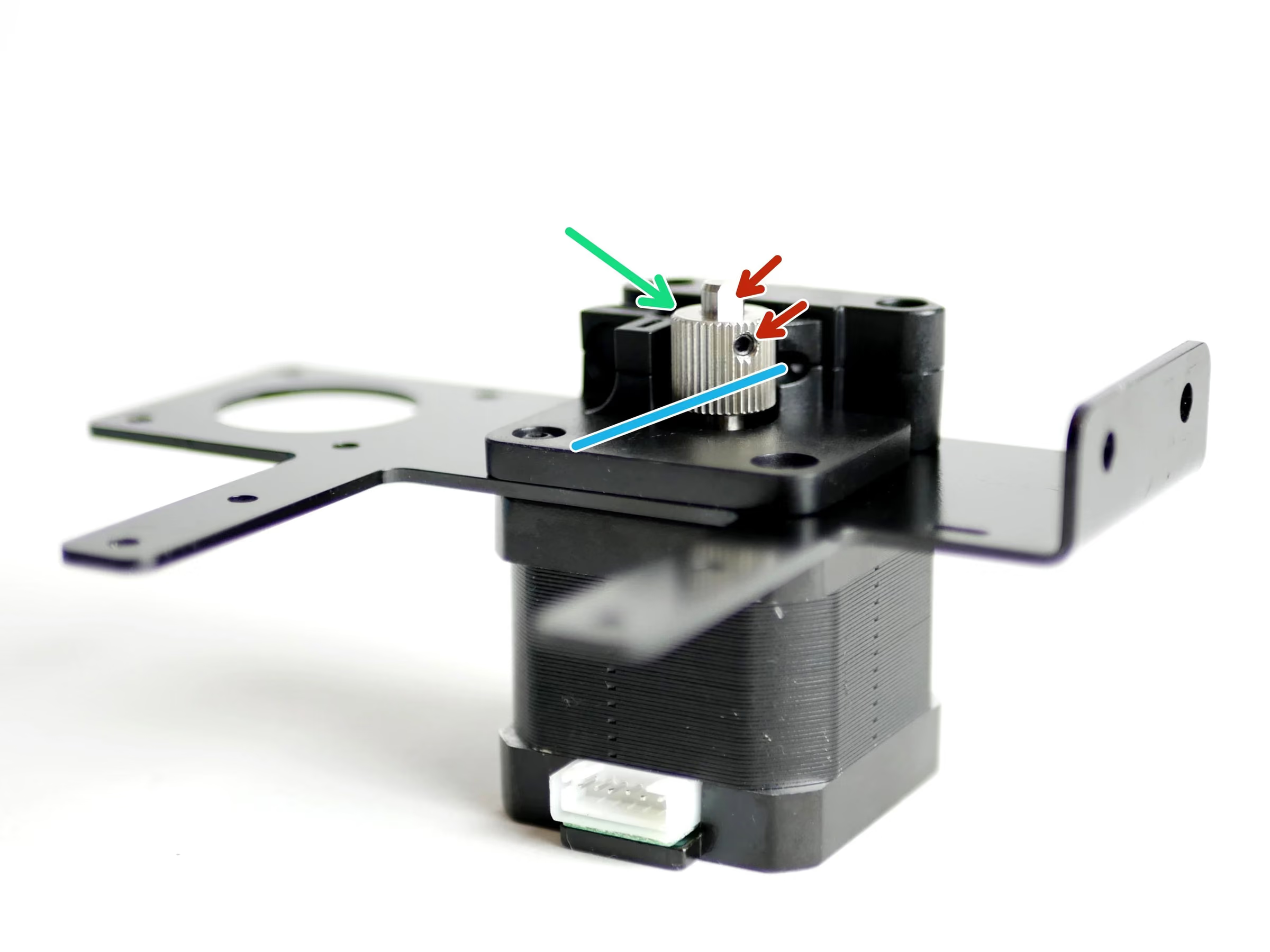
- Note: Align the drive gear so that it runs with the filaments path.
- Filament path
- Fix the Drive Gear to the shaft of the motor.
- Tighten the set screw onto the flat of the shaft. Tighten firmly.
Loading comments…
Step 5 Idler Arm
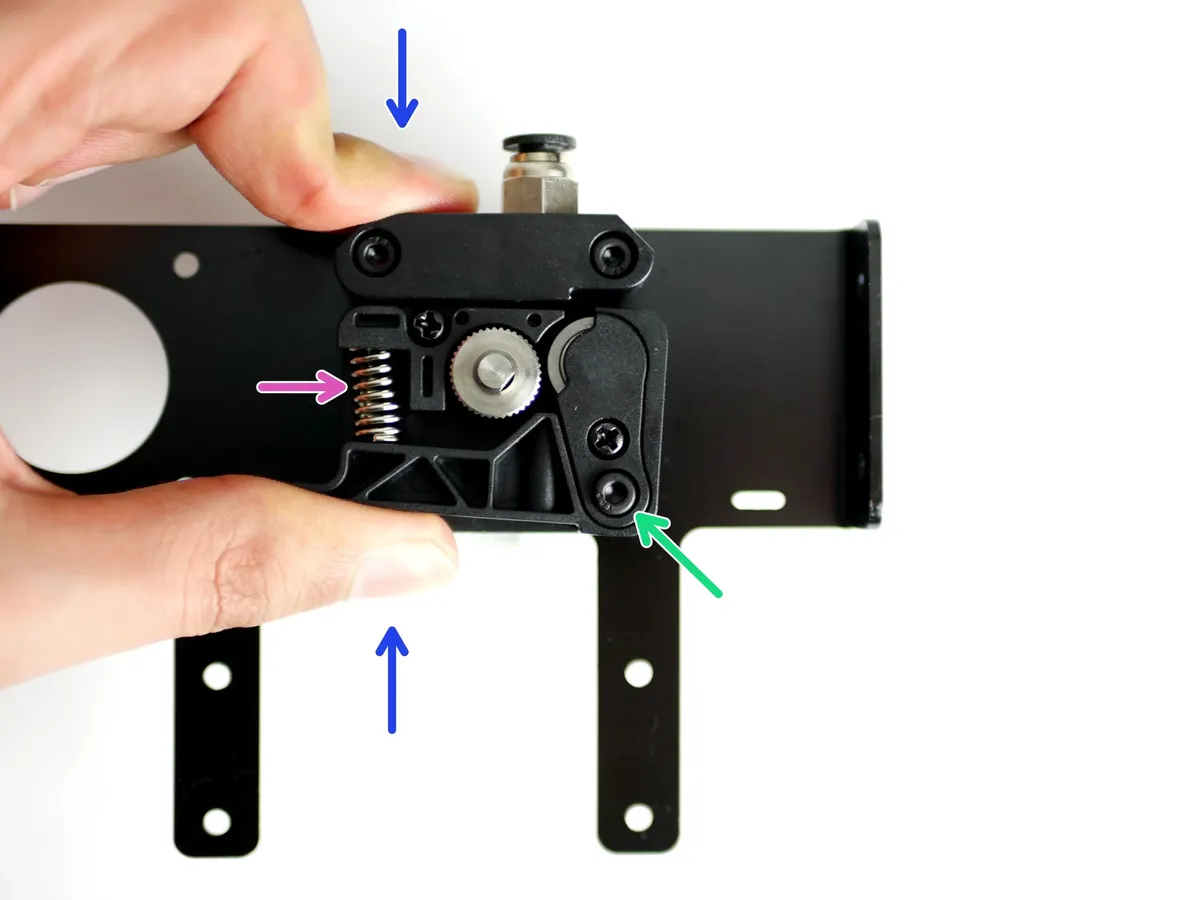
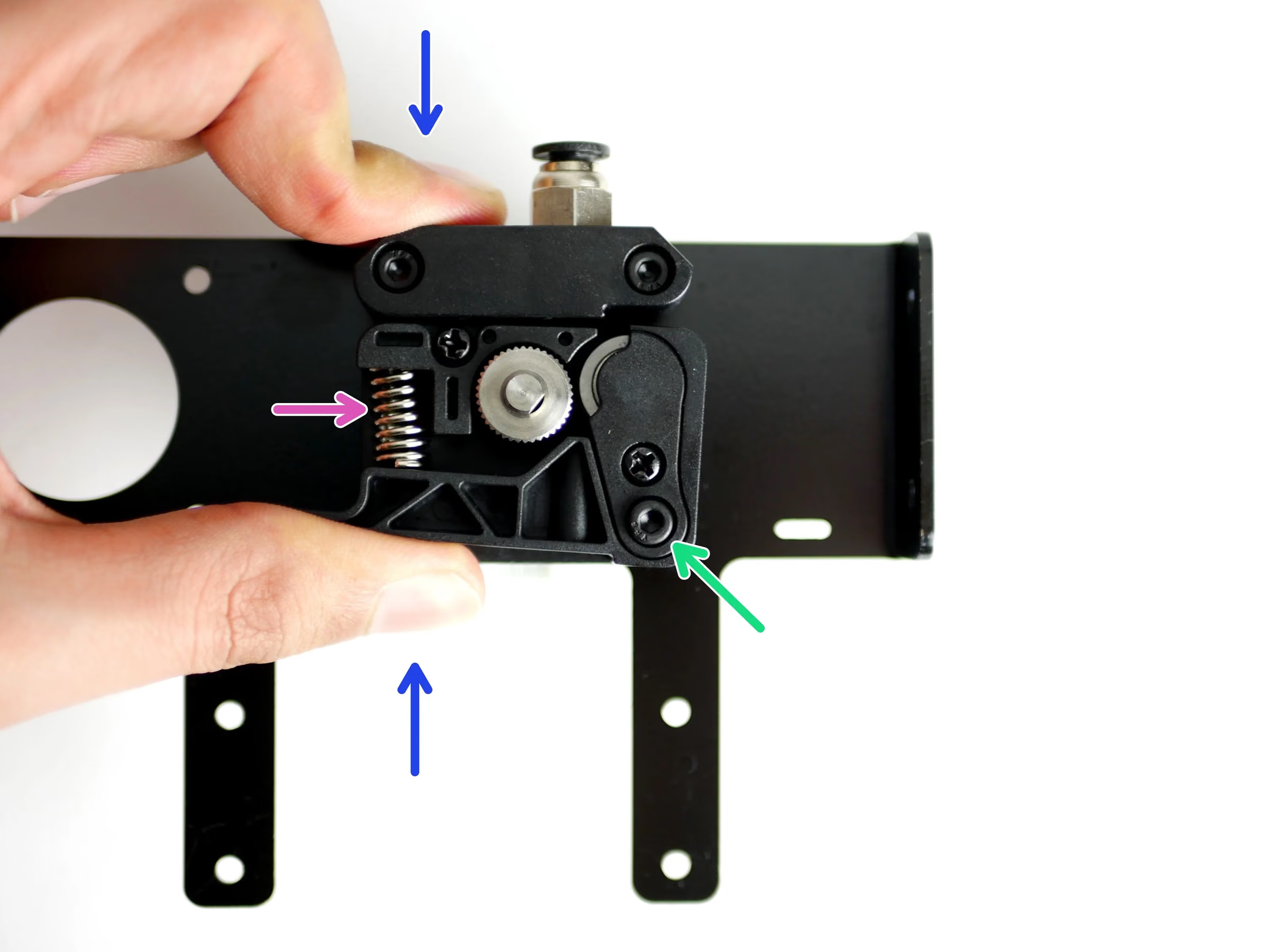
- Place in position the Extruder Spring on the Back Plate.
- Drop in a M3 x 18mm cap head bolt
- Compress the spring with the Idler Arm as shown in the first image.
- Tighten down the M3 x 18mm bolt
- Caution: Do not over tighten, the arm should still be able to pivot.
Loading comments…
Step 6 Filament Sensor
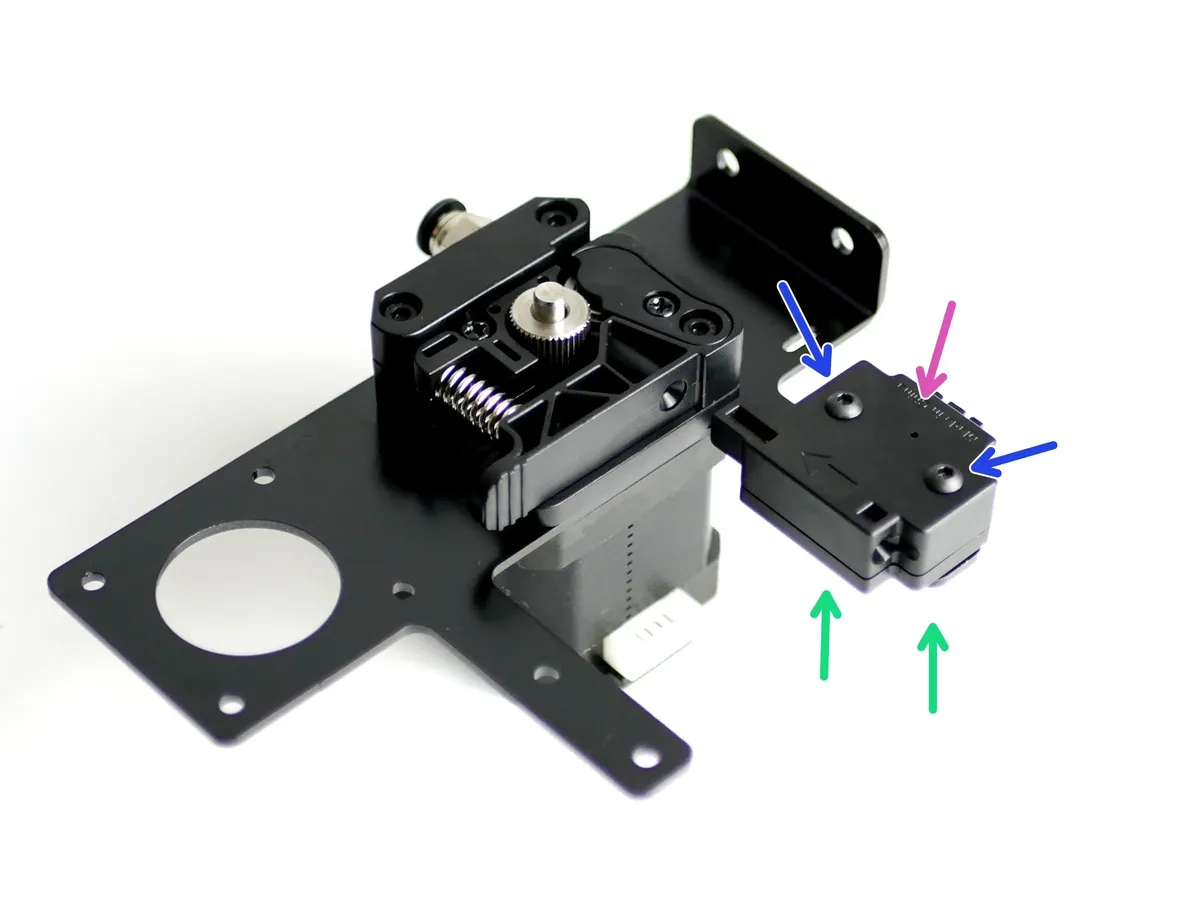
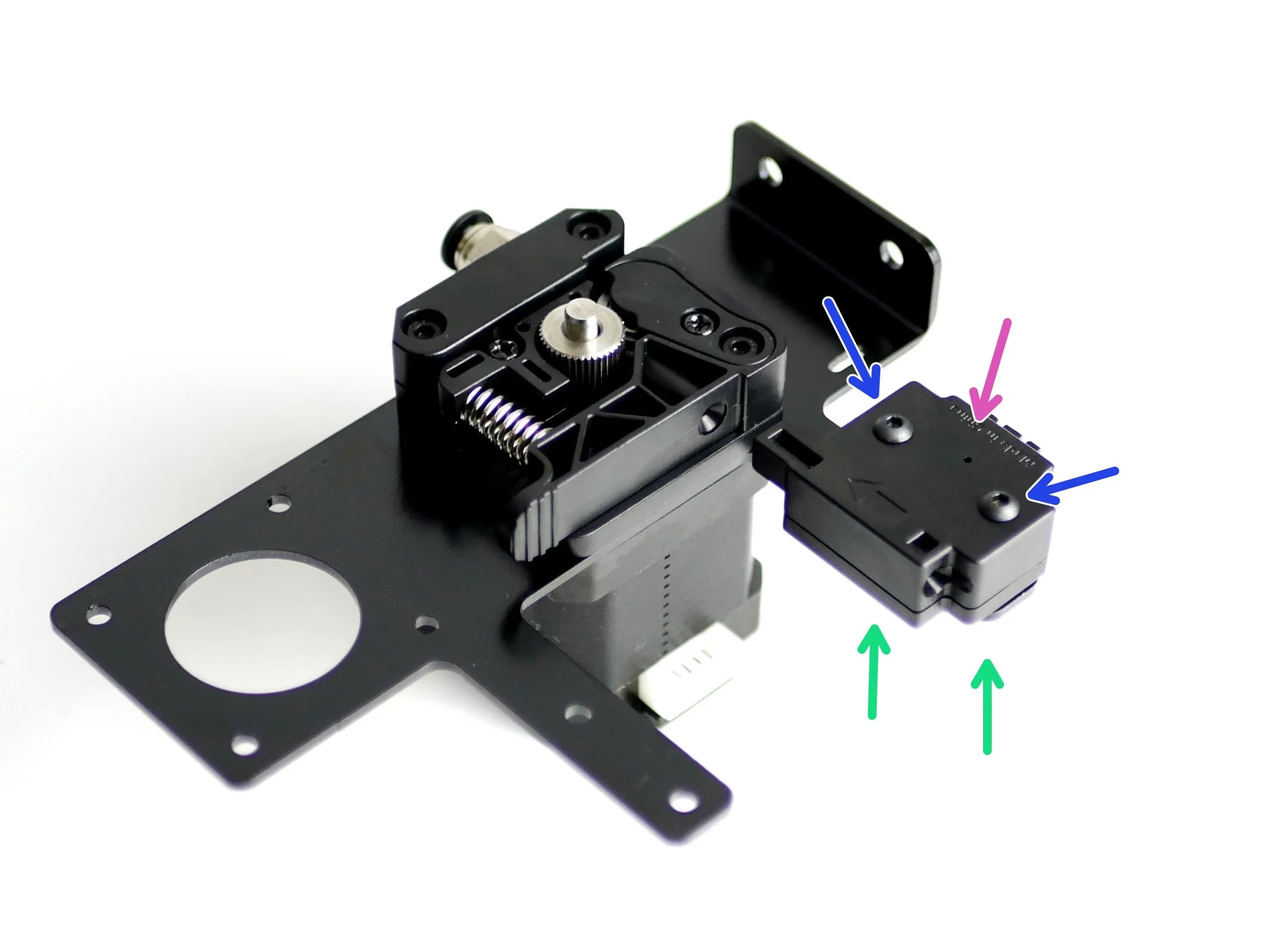
- Note: Fix the filament sensor to the Extruder Mounting Bracket:
- Filament Sensor
- Two M3 x 20mm bolts
- Two M3 Nyloc Nuts
- Reminder: Match the orientation of the Filament Sensor as shown in the photo.
Loading comments…
Step 7 Cable Sleeving
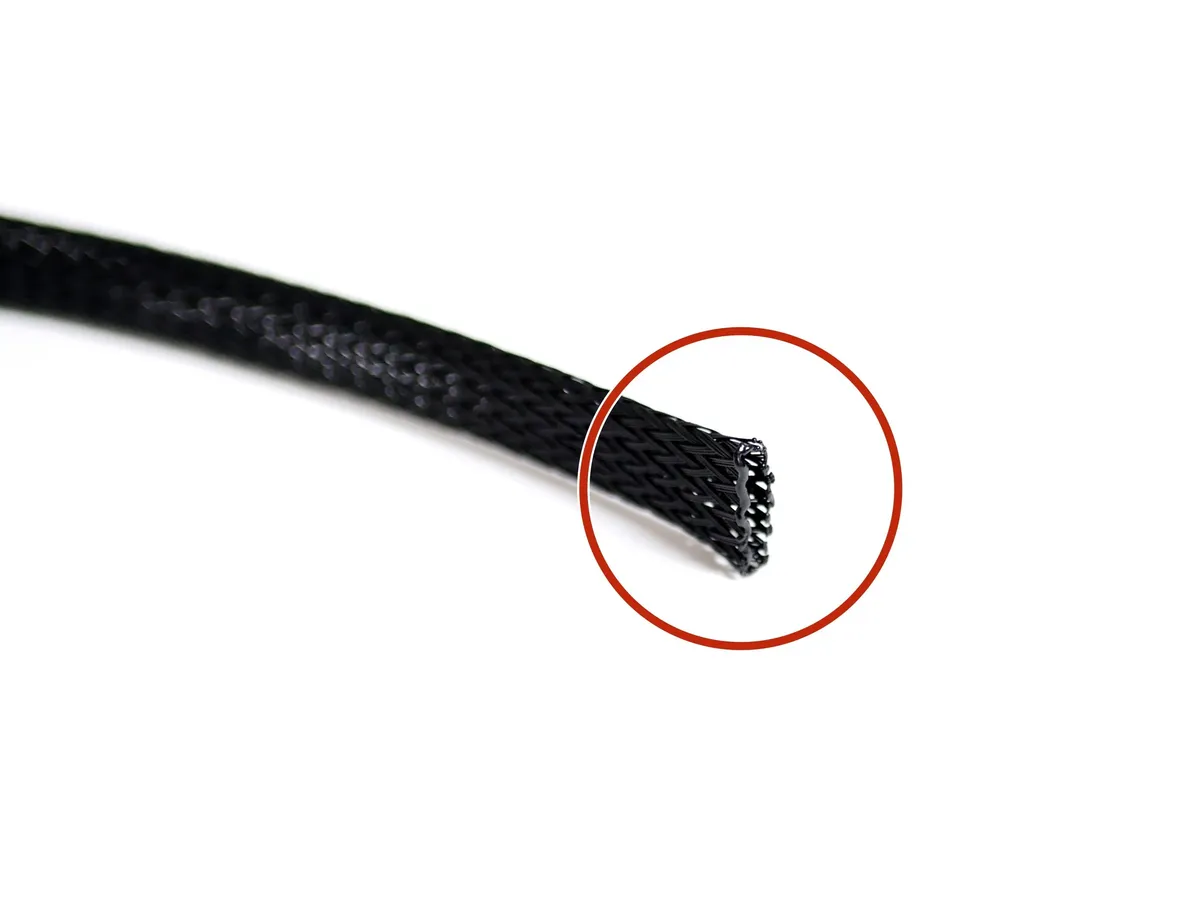
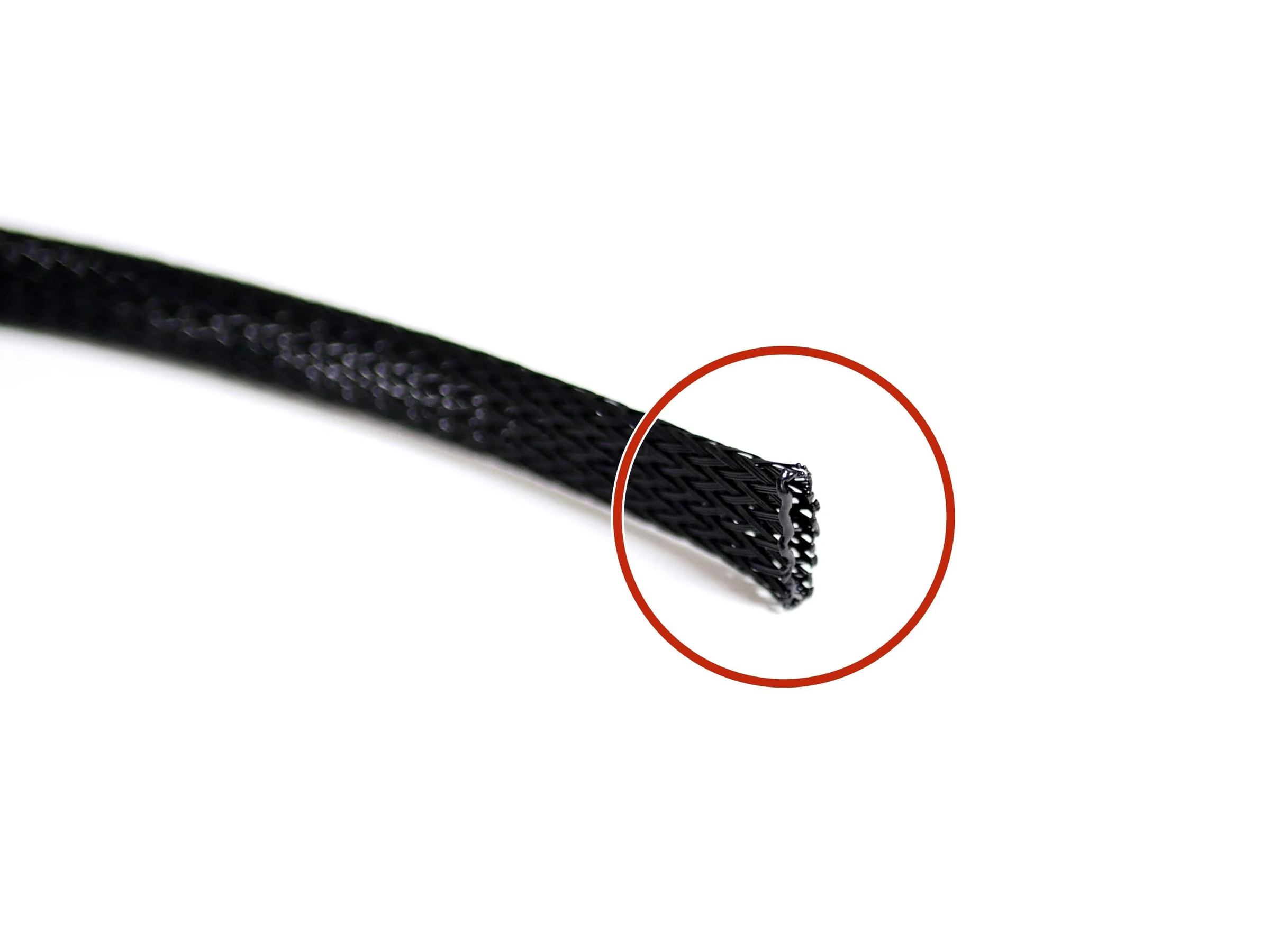
- Note: Cut 60CM of Braided Cable sleeving
- Melt the ends with a lighter to prevent them from fraying out.
Loading comments…
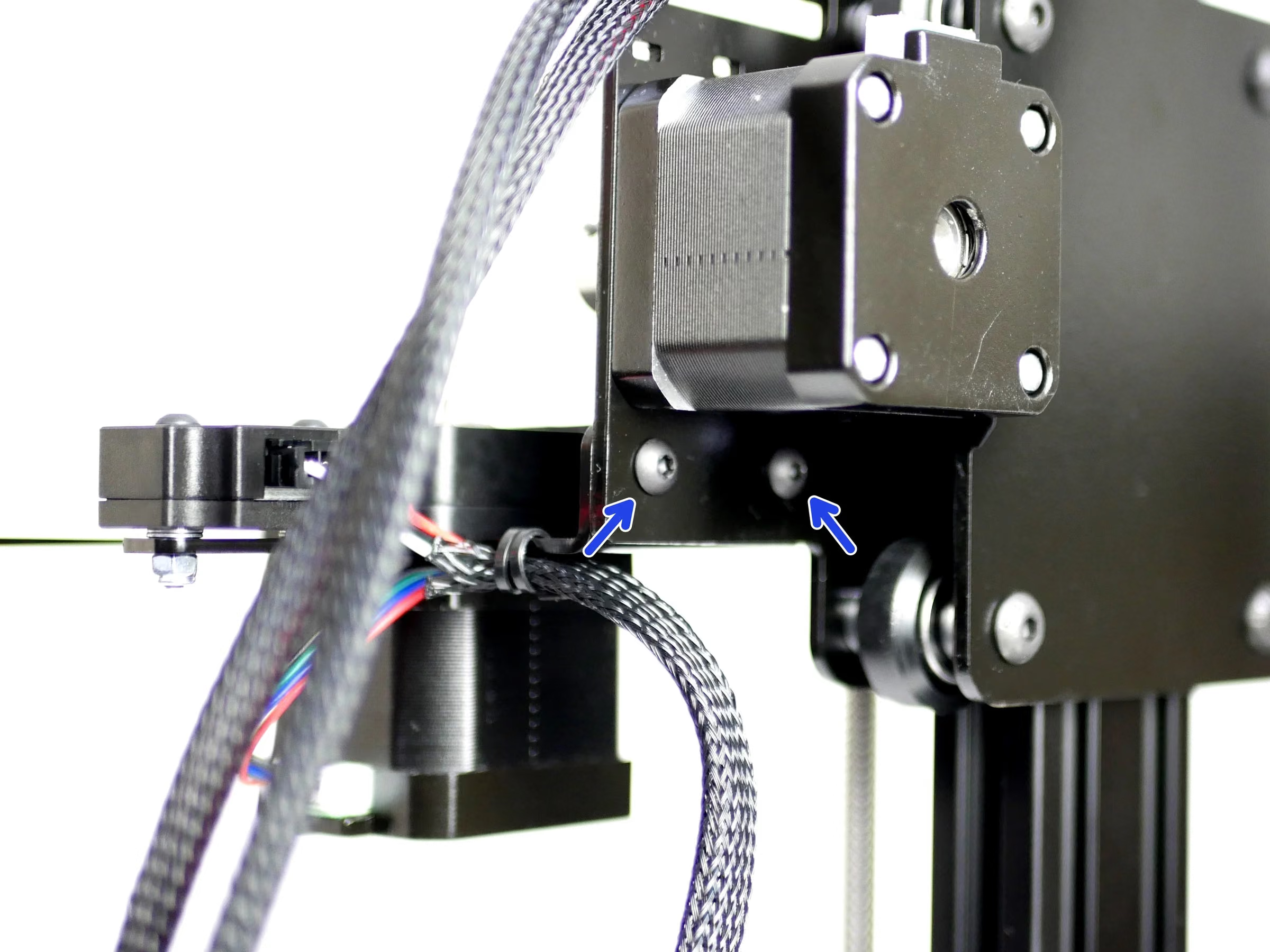
Step 8 Cables
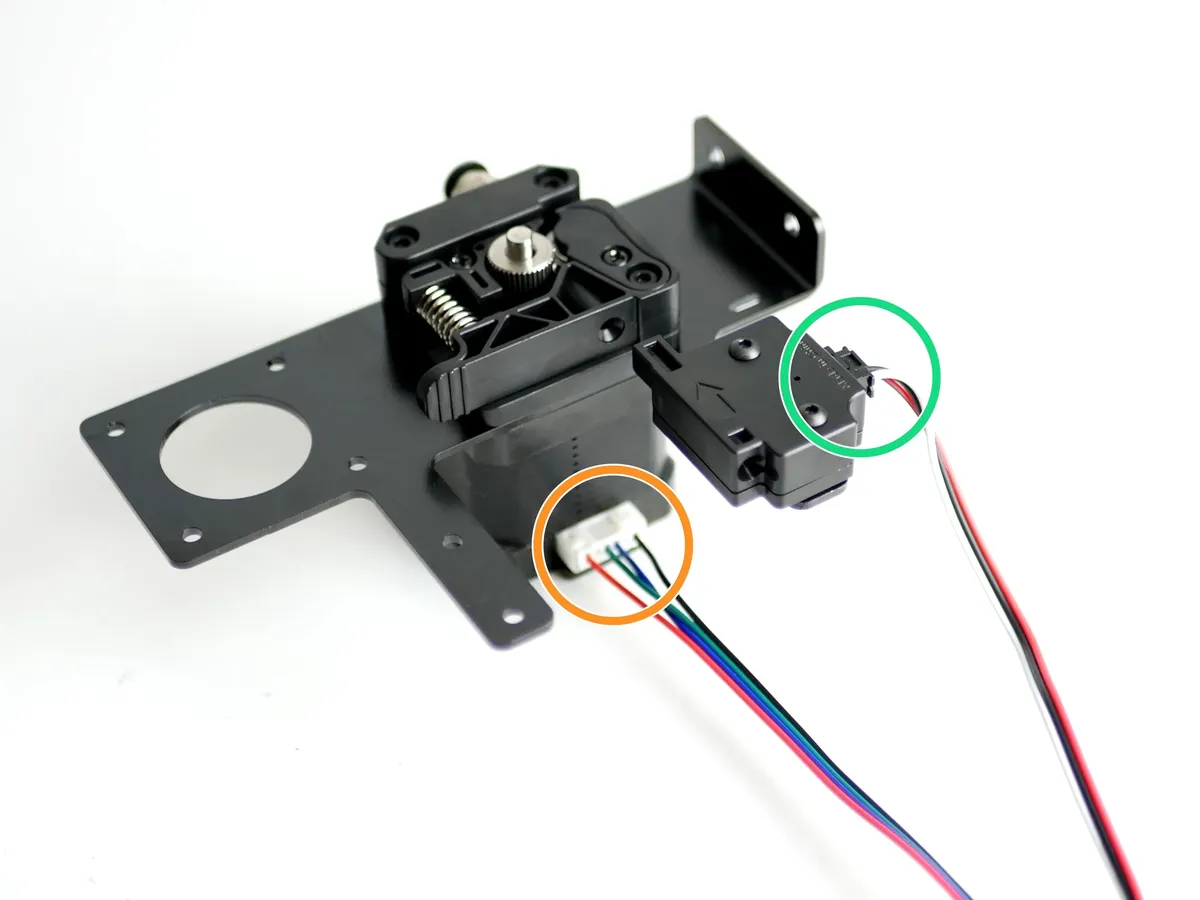
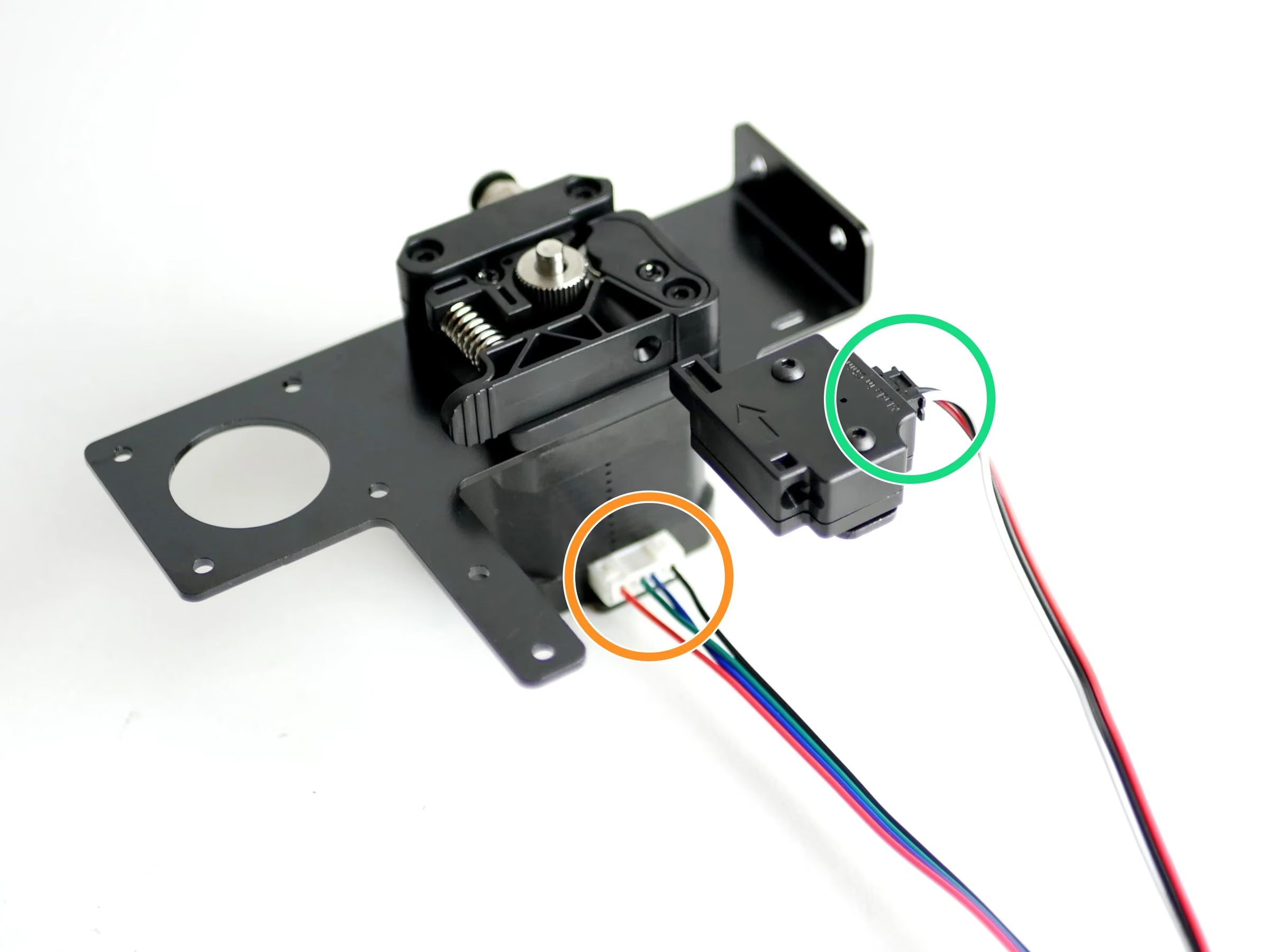
- Connect the filament sensor cable to the filament sensor.
- Connect a motor cable to the motor.
- Feed onto both of the cables the braided cable sleeving.
- Cable tie the cables to the mounting bracket.
Loading comments…
Step 9 Installing the Extruder Assembly
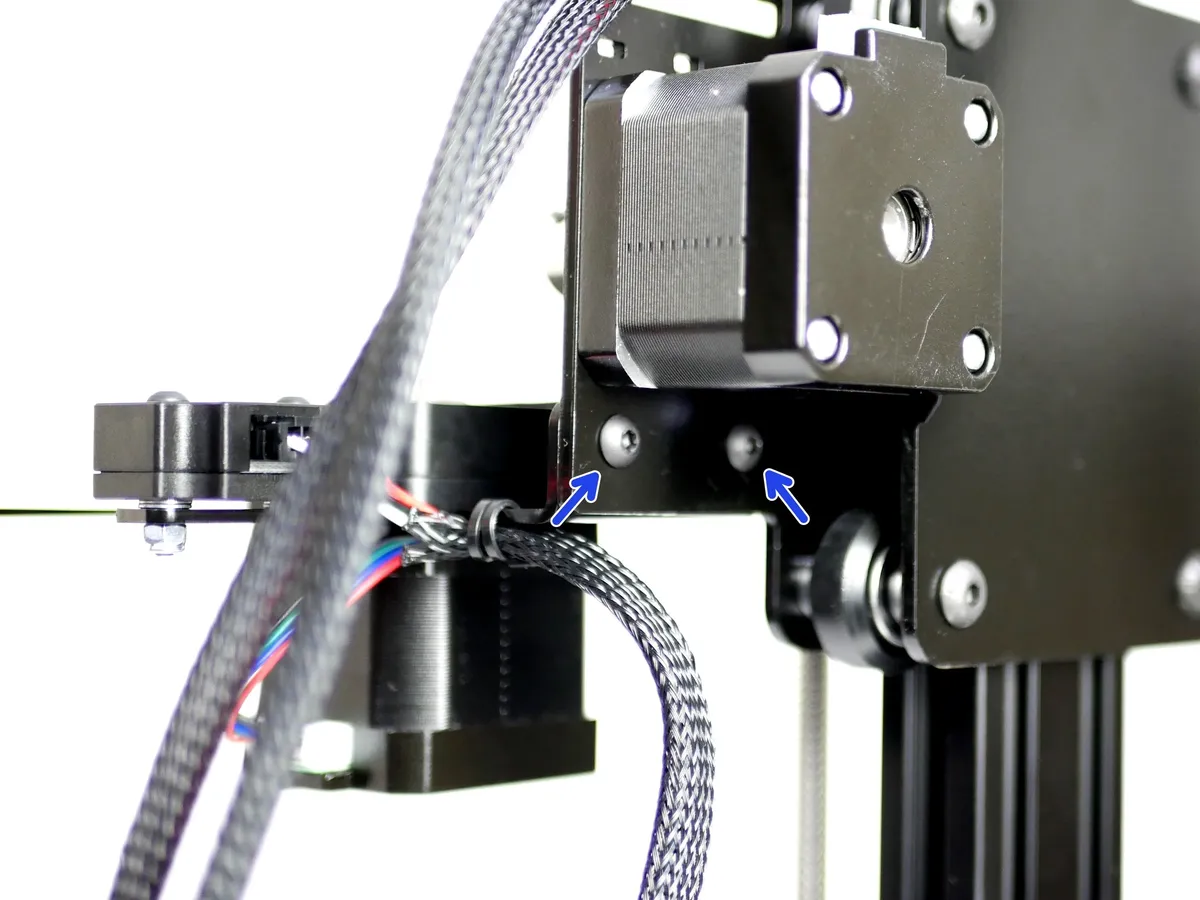
- Note: Fix the Extruder Assembly onto the Z-Carriage
- M4 x 10mm bolt
- M4 Nyloc Nut
Loading comments…
Step 10 Dual Switching Hotend Build
- Note: If you are building the Proforge 2/2S with the Dual Switching Hotend stop here and continue the build guide from the Dual Switching Hotend guides here.
Loading comments…
Step 11 Spool Holder
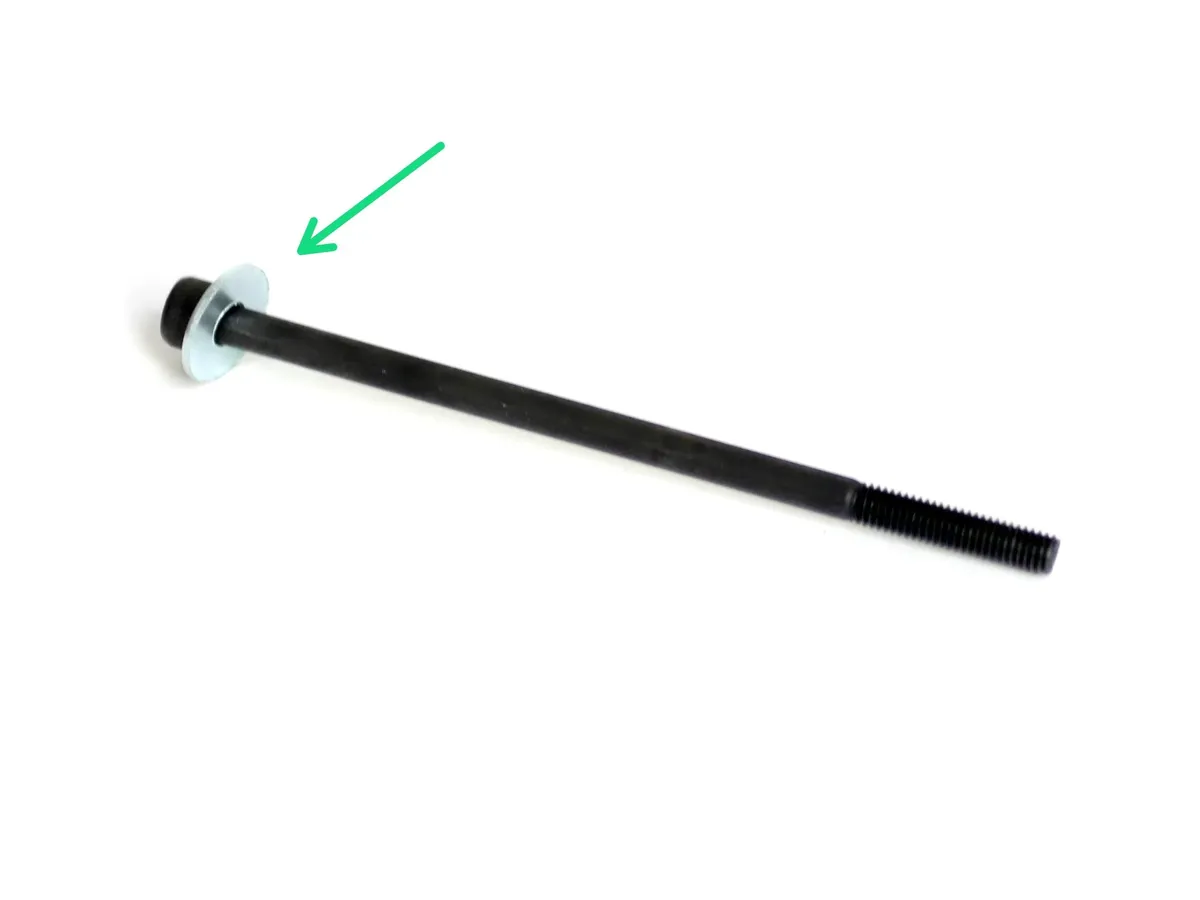
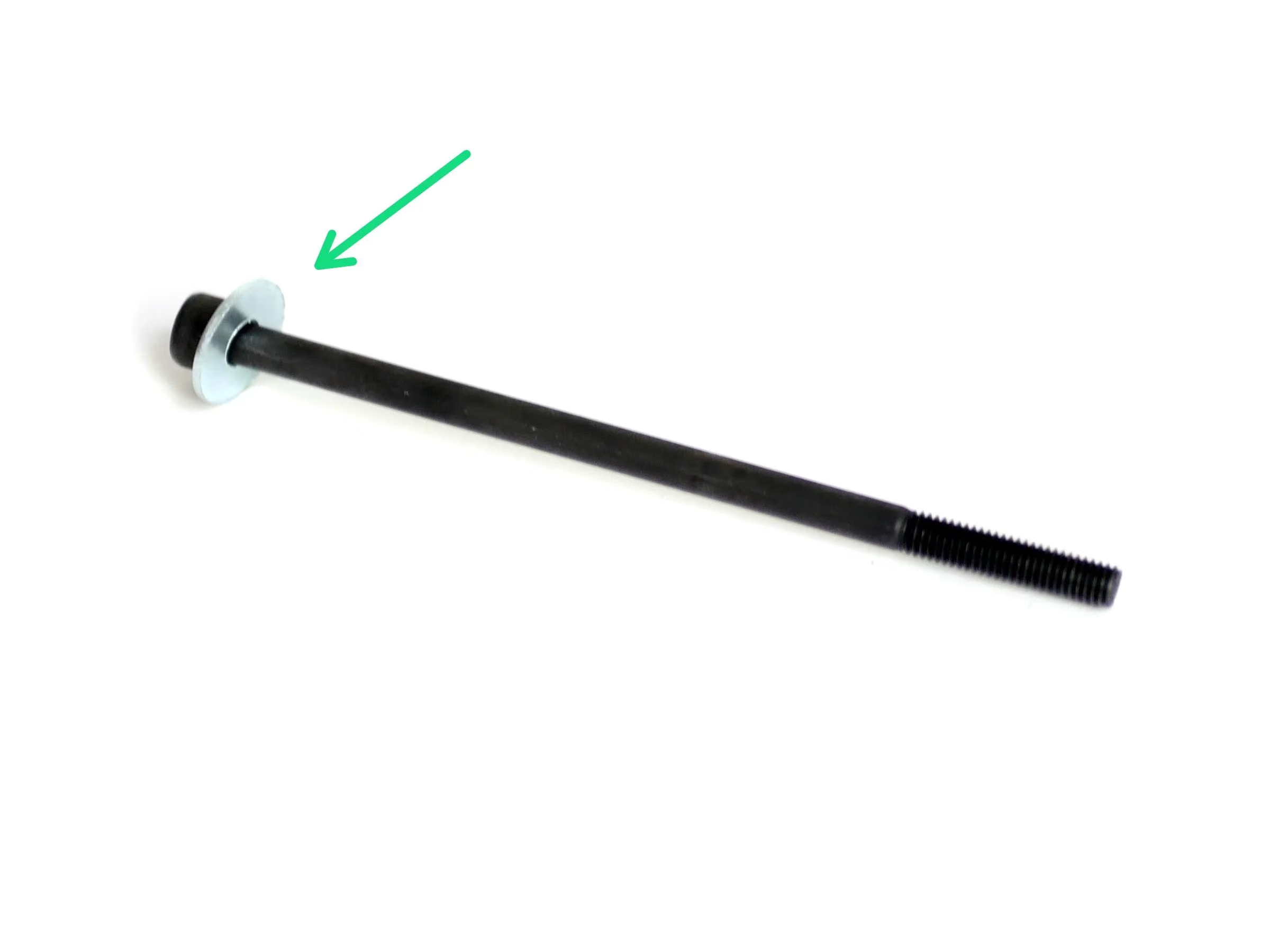
- Slide onto a M5 x 100mm bolt an M5 15mm washer.
- Fix to the bolt an M5 Nyloc Nut about 1cm of the way up.
- Fix the bolt to the top of the Extruder Mount with another M5 Nyloc nut.
Loading comments…
Step 12 PTFE Tube
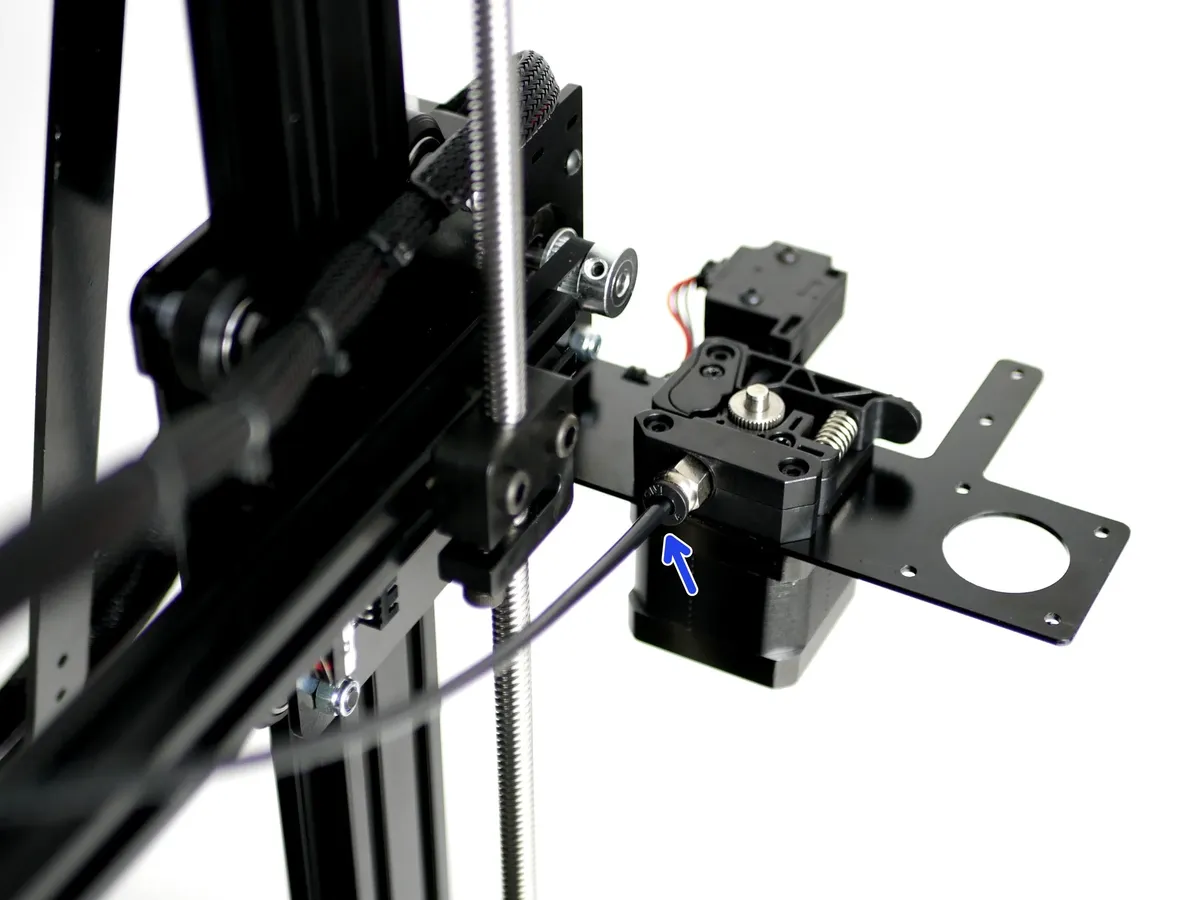
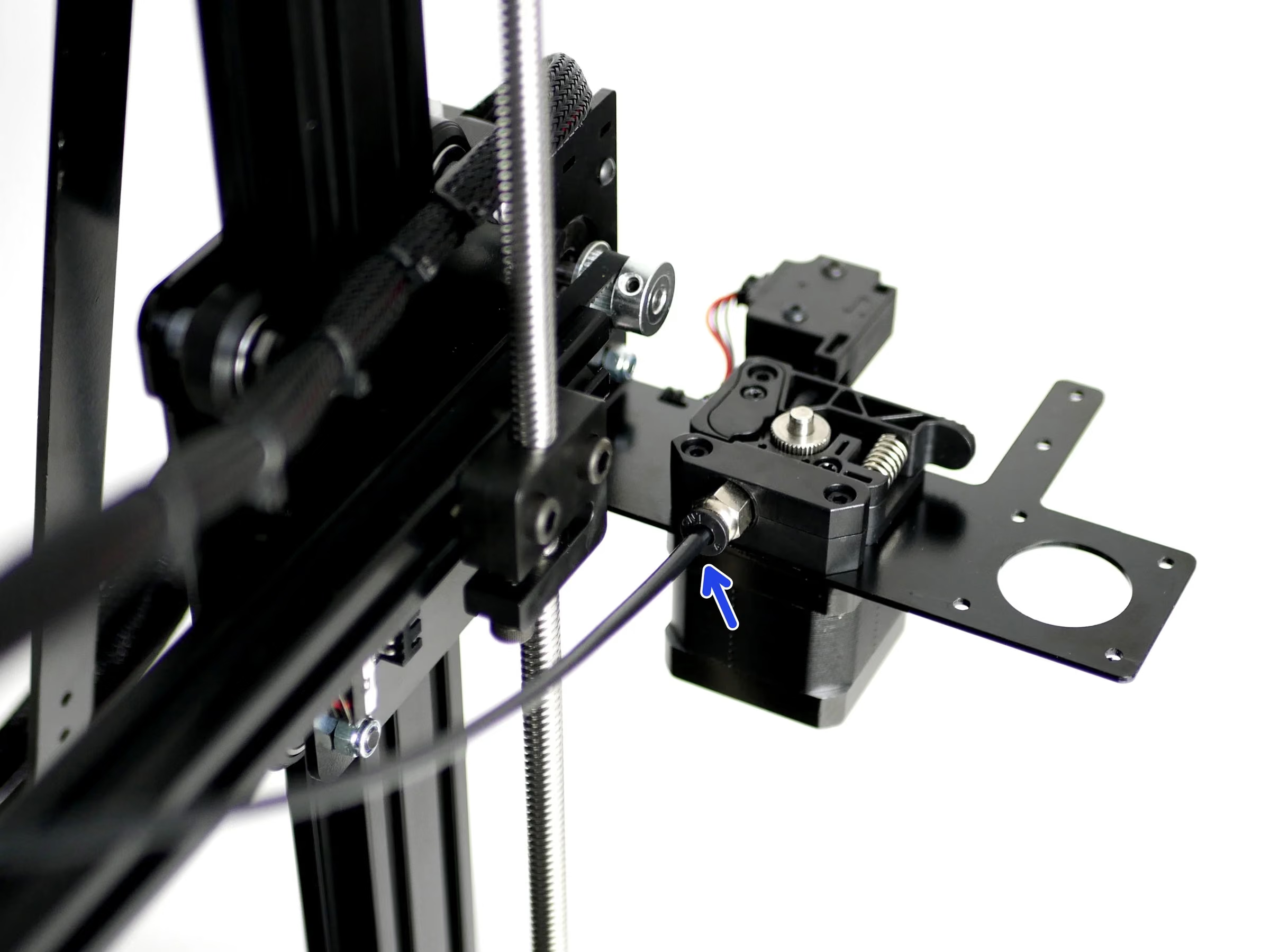
- Reminder: If you do not intend on installing the Dual Switching Hotend you can cut the tubing down to 50CM before installing.
- Insert one end into the PTFE Tubing into coupling on the Extruder.
- Insert the other end of the PTFE Tubing into the Hotend, make sure that it is fully inserted up to the nozzle.
Loading comments…