DSH Stage 05 - Spool Holders
Easy15 min3 steps
Step 1 Second Spool Holder
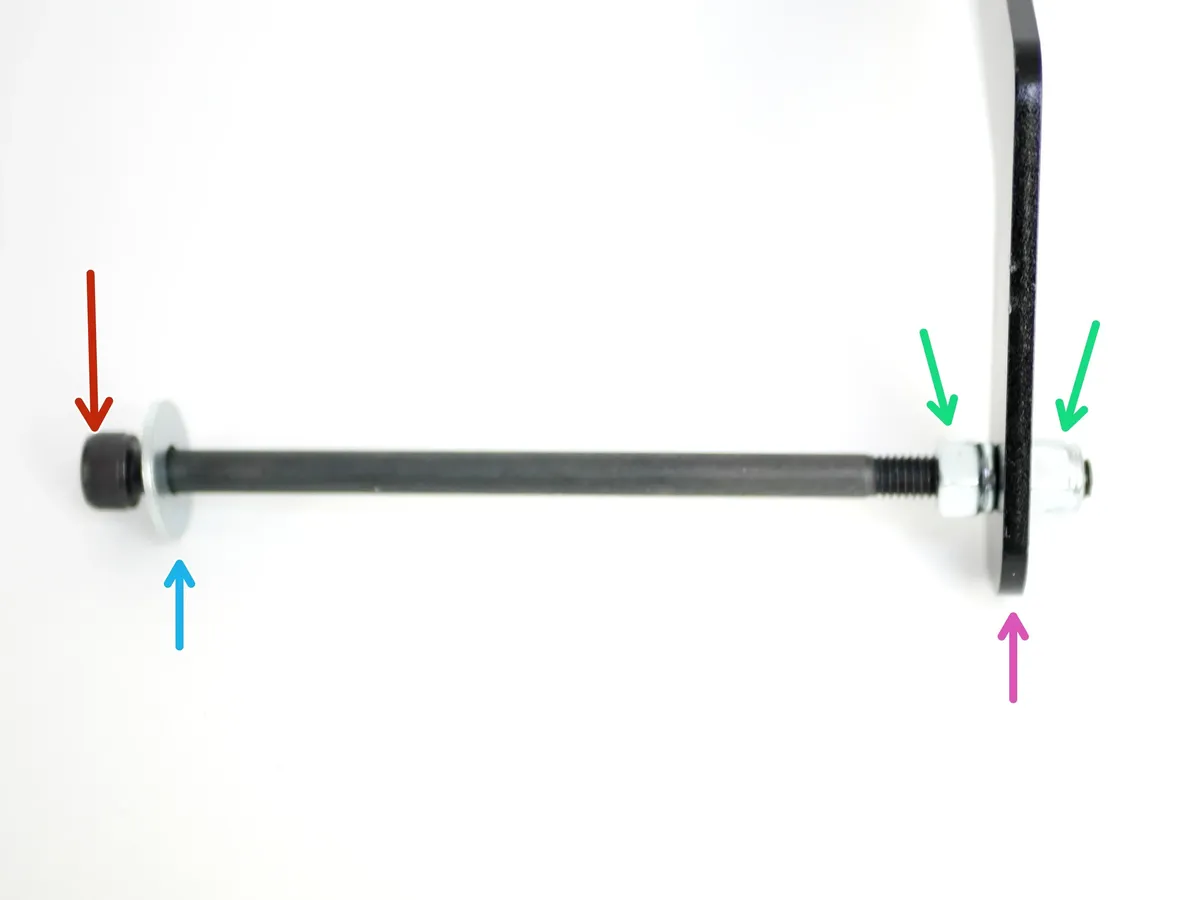
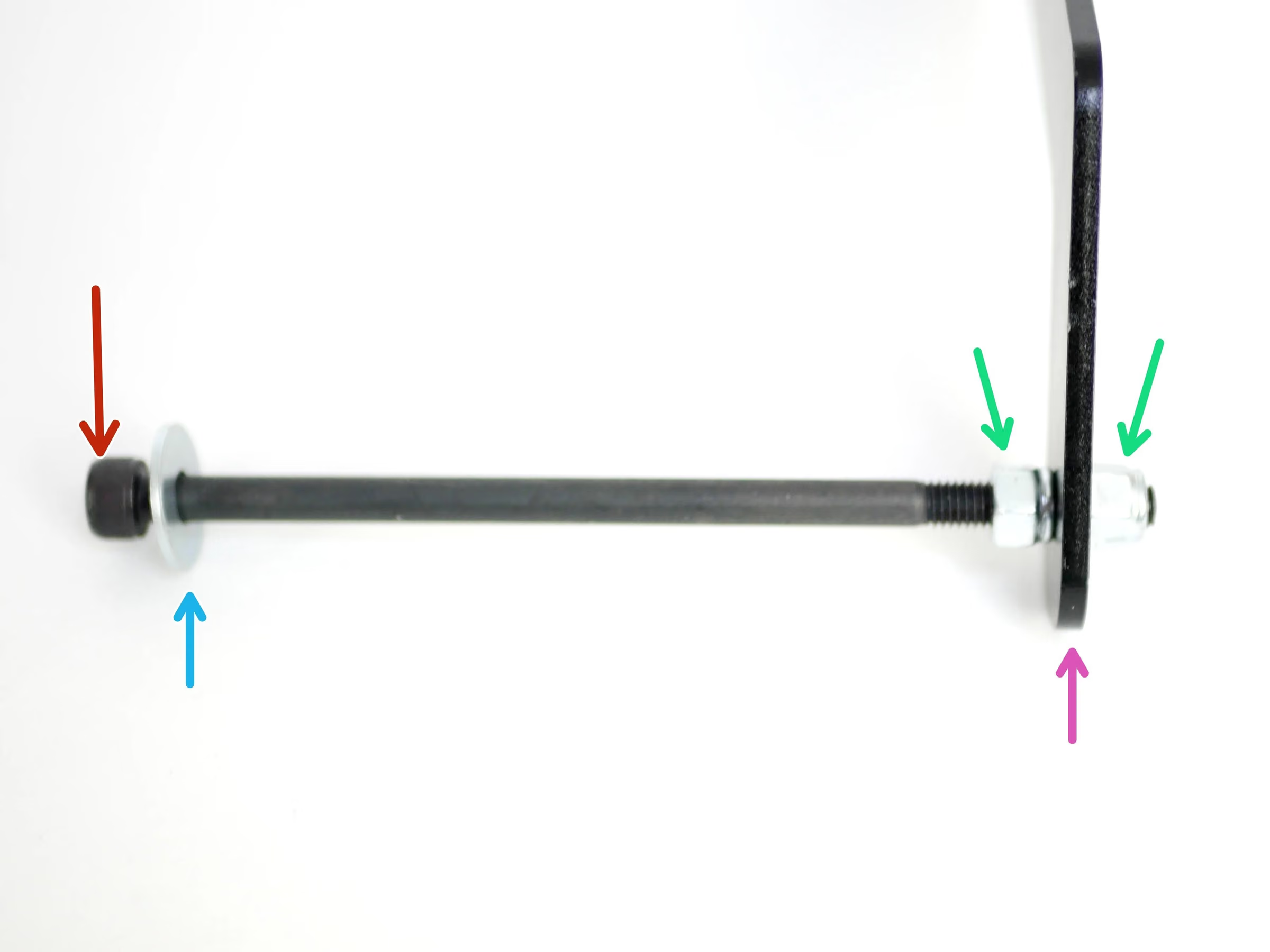
- Note: Prepare the second spool holder like shown in the images, with the M5x100mm bolt on the left side.
- Spool Holder
- M5 x 100mm bolt
- M5 15mm washer
- M5 Nyloc Nut
Loading comments…
Step 2 Adjusting/Installing the First Spool Holder
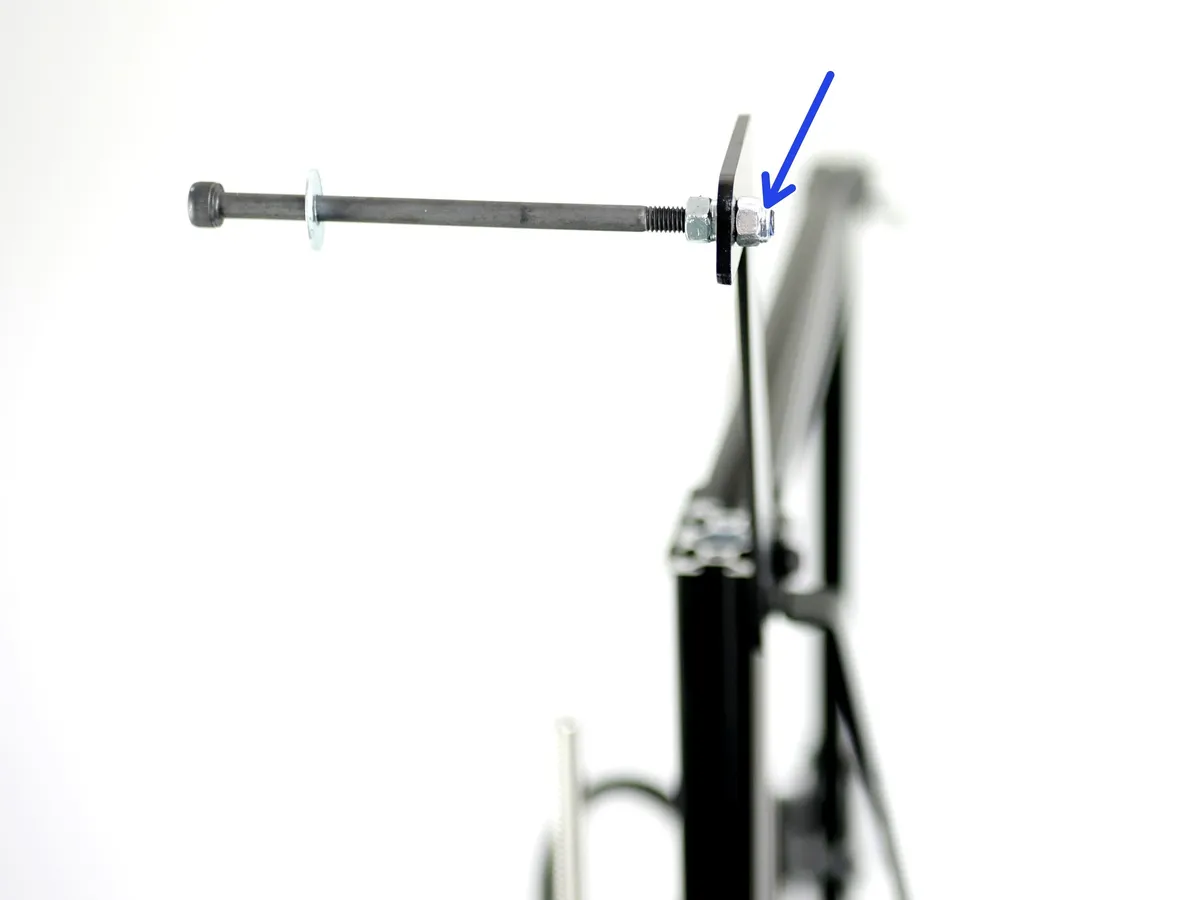
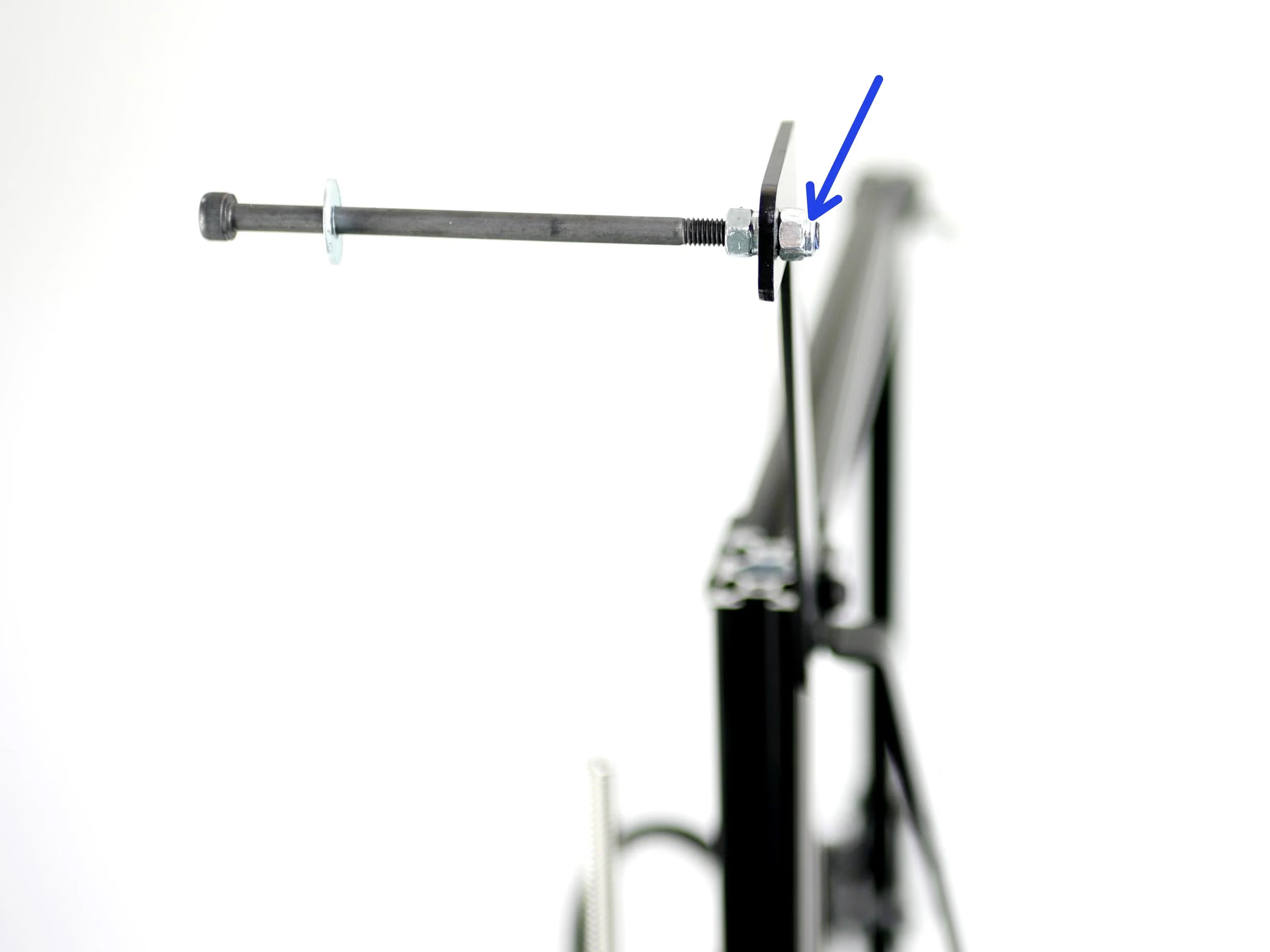
- If upgrading from a Single Extruder setup: remove the outer M5 Nyloc Nut and flip the direction of the M5 bolt.
- The second photo shows how the installed spool holder should now look with the M5x100mm bolt on the same side as the support beams.
Loading comments…
Step 3 Installing the Second Spool Holder
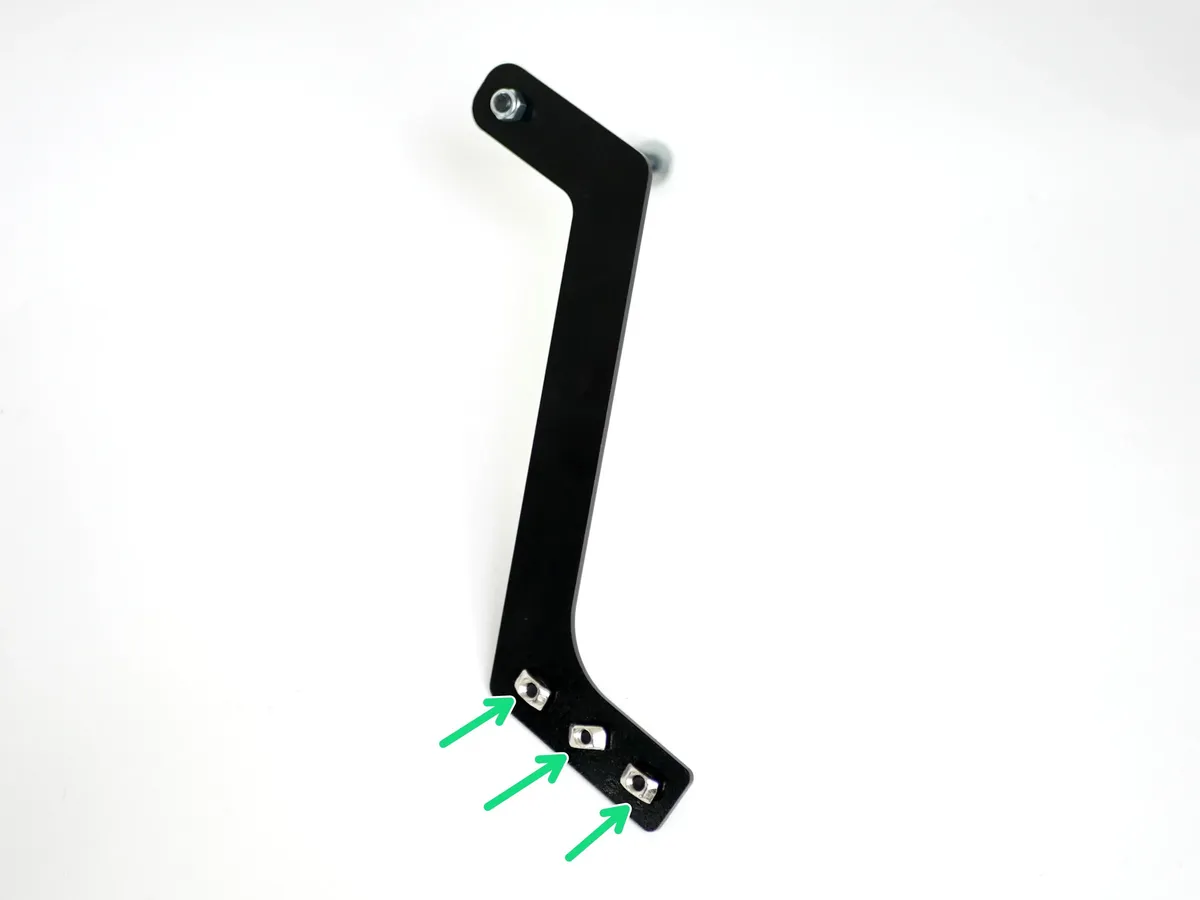
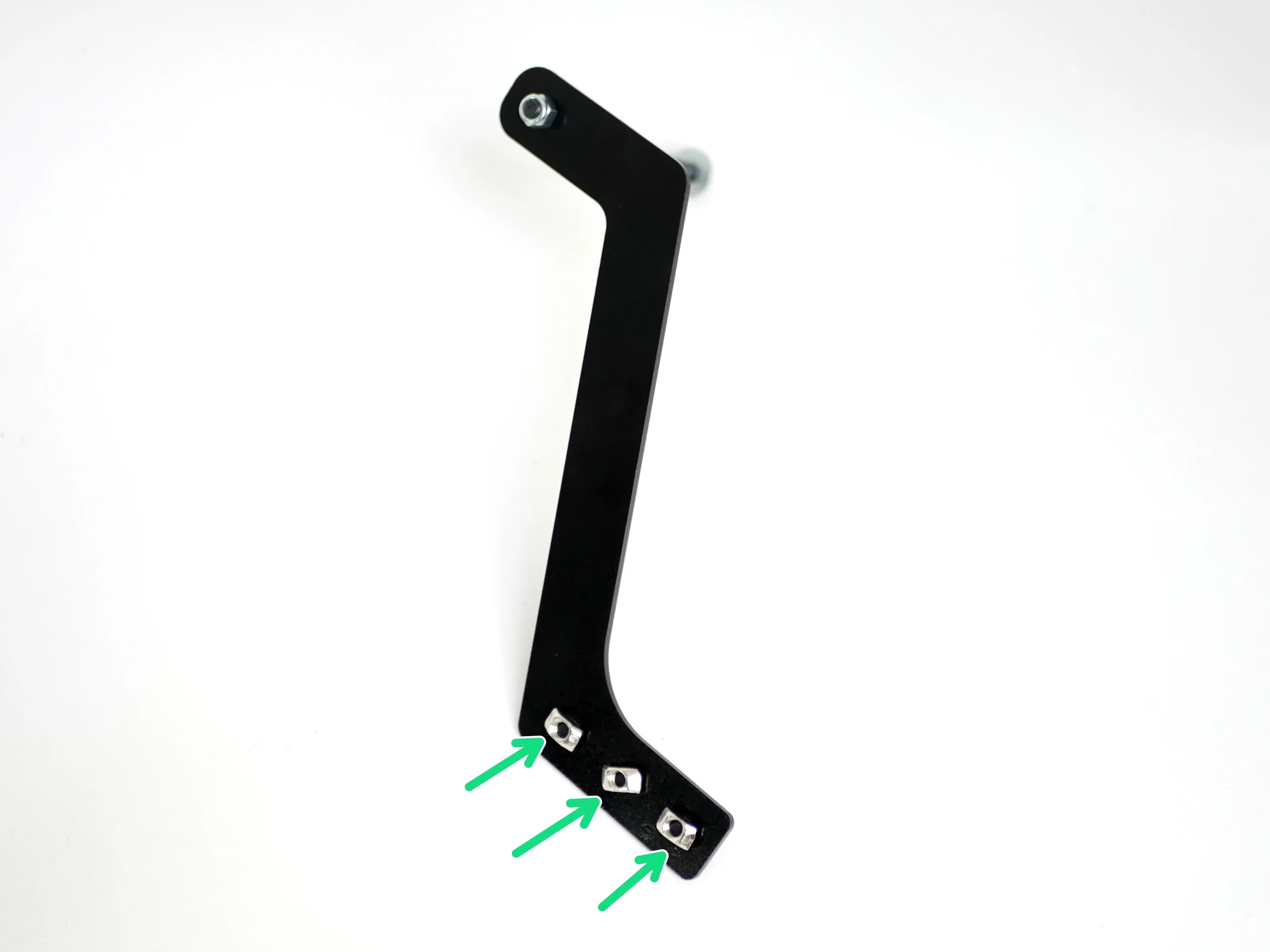
- Fasten on to the second spool holder three M5 T-nuts and M5 x 8mm bolts.
- Remove the extrusion bracket from the top corner of the Proforge 2S frame.
- Fix the second spool holder onto the frame.
Loading comments…